Can Your Company Design a Business Card? How to Test and Optimise Your Team Workflow

Business Card title image

In his most famous work on capitalism and commerce, The Wealth of Nations, author and economist Adam Smith describes how even something as simple and pedestrian as a farmer’s woolen coat can’t be made by a single person. It requires the collective expertise and effort of many different people — everyone from the shepherd to the tailor has a role play to play, including less obvious jobs like dye-maker, money-lender, cart-driver (and cartwrights before that), and the folks who hand-carve buttons from precise species of wood. […] Full post →

Take Back Your Mac - Four free & simple ways to reclaim the OS X interface

Take Back Your Mac

Apple has made some pretty dramatic design evolutions in their recent versions of the Mac desktop operating system, and not all of them have been welcomed. The devotion to “flat design” and a move toward iOS’s design aesthetic has led a number of nerds like me to take matters into our own hands. Below are four free applications and tweaks you can use to take hold of your desktop interface, and customise a few things that Apple doesn’t want you to.

cDock

cDock icon

cDock, open-source mod application

Remember OS X 10.4 Tiger? […] Full post →

Prepare with Purpose for OS X 10.11 El Capitan

OS X 10.11 El Capitan

The new version of the Mac operating system, clumsily-named OS X 10.11 El Capitan is just around the corner. Many pro users are already running a late beta on their current machines. But before you wipe your system and install the new OS afresh, be organized and prepare. Here’s how to handle the change with minimal drama so you can get back up and running in no time.

What to backup

Many of us have continuous, automated backups in place, but when wiping your system down to zero, I recommend manually backing up a few things extra. […] Full post →

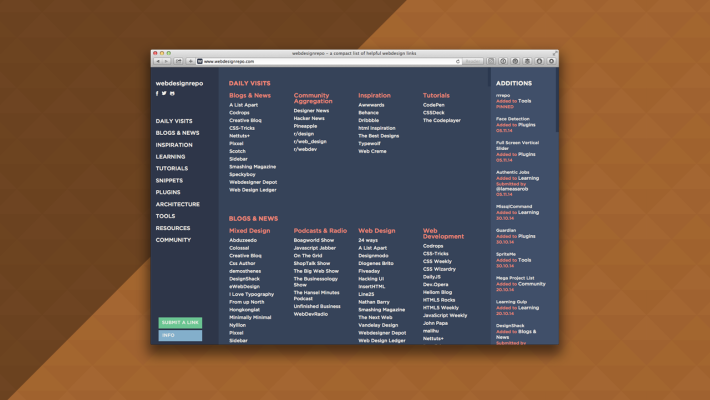
Software Tools For Designers to Stay Organised and Focused

Software Apps I use to stay organised

A version of this article first appeared as a guest post on Just Creative Design. The original post and its comments can be found here.

Over the years, friends and colleagues in the design industry have come to know me as a rather organised person, one who enjoyed being a systems geek. I test a lot of software and methodologies, and have become somewhat of a go-to resource. I am often asked about the tools and techniques I use to run my own design practice, Starship Design, and my podcast, The Busy Creator. […] Full post →

Pro Tip for Using Google to Compare Software Tools

Compare using Google

On The Busy Creator Podcast, we frequently discuss the software that creative pros are using to build websites, edit videos, and manage projects. In fact, the most downloaded episode to date remains our single-topic show about project management tools & collaboration software.

If you’re researching new online software, web or mobile apps, or project management tools, don’t forget about using Google. Here’s how:

Many of us begin our discovery with another software title or company. For example, if you’re out there trying to learn the latest in word processing, you’ll likely have Microsoft Word as the standard by which to compare it. […] Full post →

The Busy Creator’s Quick Guide to Starting a Podcast

The Busy Creator's Quick Guide to Starting a Podcast

I’ve been hosting The Busy Creator Podcast for over a year now, and the endeavor has allowed me to connect to 40+ amazing creative pros across a number of creative sectors. In recent weeks, numerous folks have approached me with the simple question “What do I need to start a podcast?” With growing interest not only in listening, but in hosting a podcast, I think it useful that I share some tips on getting started.

The important thing to note is that I am by no means an expert in creating a world-famous show, earning millions of dollars, building a full-fledged media company, or becoming a speaker/author/entrepreneur on the back of my humble podcast. Those things have indeed happened to Podcasters over the years — for example, Keith and The Girl, Entrepreneur on Fire, Grammar Girl/QD Now, or Chris Hardwick, respectively, but not for me [yet]. I have, however, started two podcasts on my own, without a team of sound engineers or web designers, and those early steps aren’t nearly as intimidating as you might think.

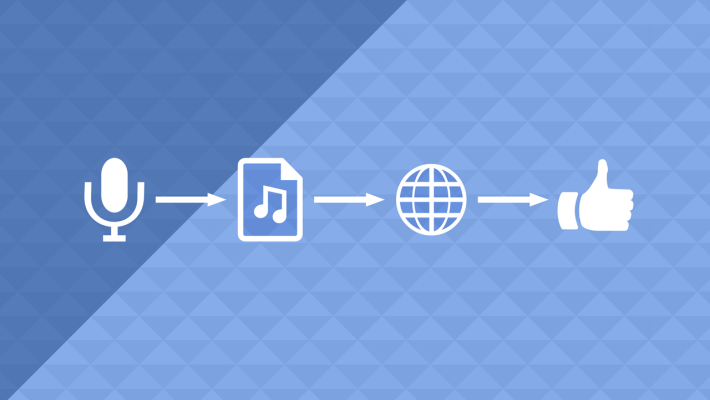
John Lee Dumas, the host and founder of the aforementioned Entrepreneur on Fire, has built a million-dollar business on the strength of his podcasts, including a private membership site, Podcasters’ Paradise. The motto of Paradise is simple: “Create → Grow → Monetize“. To borrow some equally succinct language, let’s dig a bit deeper into the “Create” stage and break it down further into “Plan → Record → Publish.

Read more

Level-Up Strategy for Maintaining Up-To-Date Backups of Your Files

Level-Up Strategy

I have come to embrace the adage of our computer age:

There are two types of people: those who do back up, and those who will back up

After losing hundreds of photos to a hard drive crash way back in high school, I’ve become religious about backing up files ever since. But too many of us still don’t have a seamless, continuous backup system in place.

Read more

Level-Up Strategy for Starting a Project Right

Level-Up Strategy

When meeting a new client, there’s often nervousness and questions in your mind about how smoothly the project will go. Even if the client seems committed to the project at hand, it’s hard to tell if everything will go well and result in success, however it’s defined. Here’s a technique to increase the likelihood of a successful project from start to finish.

Read more

My Two Favourite Tools for Quick-Saving and Quick-Sharing

Quick-share tools

As creative pros, we often find the need to quickly share an image, link, or document with our co-workers, clients, and friends. Could be a logo design in progress, an article on a topic we’re researching, or a case study PDF that’s part of our strategy. Fortunately for us, there are a number of software tools on the Mac and on the web that enable us to share these items quickly, or save them for future reference.

Read more

Prepare with Purpose for OS X 10.10 Yosemite

Prepare for Yosemite

The new version of the Mac operating system, OS X 10.10 Yosemite is just around the corner. Many pro users are already running a late beta on their current machines. But before you wipe your system and install the new OS afresh, be organized and prepare. Here’s how to handle the change with minimal drama so you can get back up and running in no time.

What to backup

Many of us have continuous, automated backups in place, but when wiping your system down to zero, I recommend manually backing up a few things extra. Here’s a list of what you should back up before you go new.
Read more

Evernote for Contact Management with Digitial Media Director Bob Stanke, The Busy Creator Podcast 9

The Busy Creator 9 w/guest Bob Stanke

Bob Stanke (@BobStanke) is the Director of Digital Media for the Minnesota Timberwolves. Over the years, he’s become an expert in Evernote, and has created several workflows he uses everyday to manage his bookmarks and other important information. In this episode, he shares with Prescott how he designed a system to use Evernote for contact management, including how that translates to use on mobile devices and how to create searchable data for future use.


Read more

Is Microsoft Office for iPad a useful tool? Or too little too late?

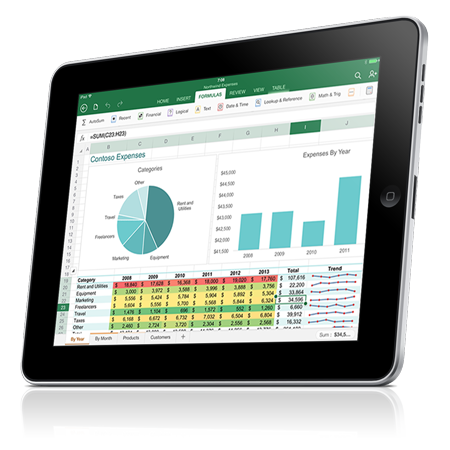
Office for iPad

Microsoft Office for iPad

Microsoft has released their popular Office suite of applications for the iPad, a sloppy four years after the launch of the popular tablet. Many users have been waiting since day 1 for basic Office capabilities, even if only to read documents on the go.

As an iPad owner, this means absolutely nothing to me.

I avoid Office as much as I can and as I type this, I don’t actually have it installed on this computer. Instead, I type in basic formatted text using Bean, use Numbers to track my household spending, and create presentations as simple PDF files, usually from InDesign. […] Full post →